


Ask Paige About a Library
A library holds everything your organization has approved. Ask Paige lets you put a question to the whole library at once. Paige finds the documents that hold the answer, replies in plain language, and shows you which document and page each part came from.
Use it when you know the answer is in there somewhere but not which document it is in.
Asking a question
1. Go to Approved and open a library. Click Ask Paige at the top right.
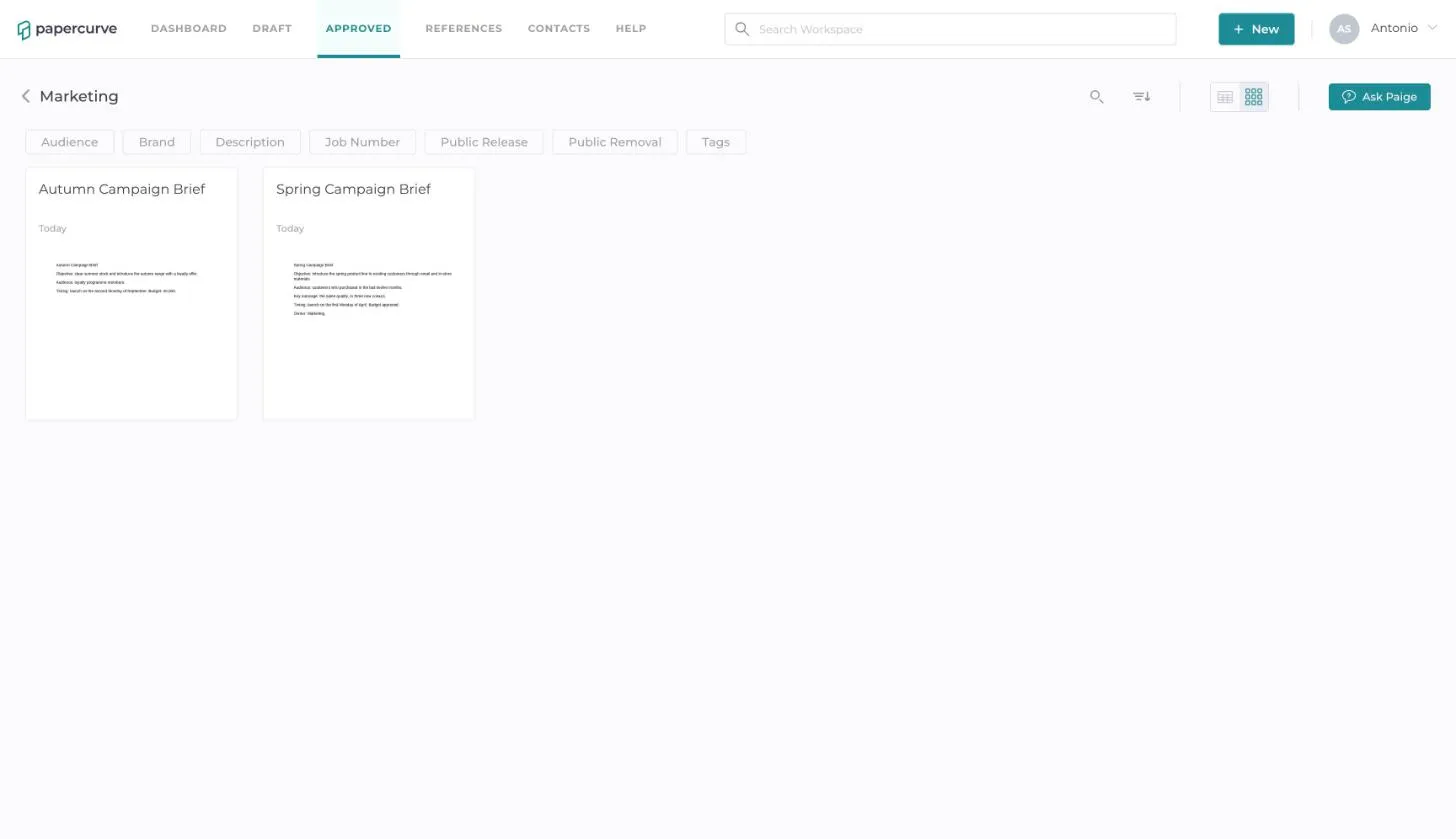
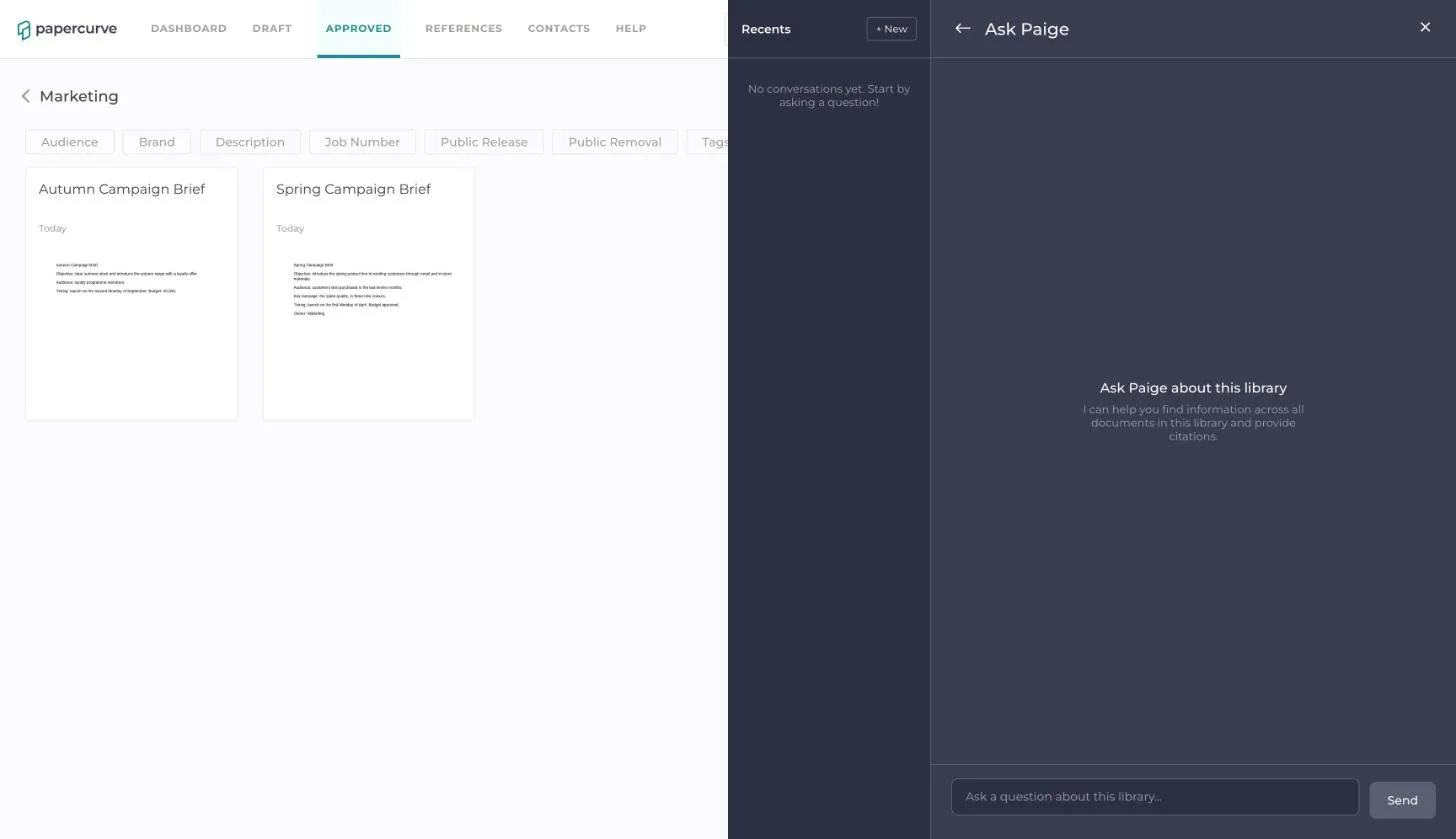
2. The Ask Paige panel opens. Type your question in the box at the bottom and click Send.
3. Paige replies in a few seconds. The small numbers in the answer are citations, and every document and page the answer drew on is listed under Sources.
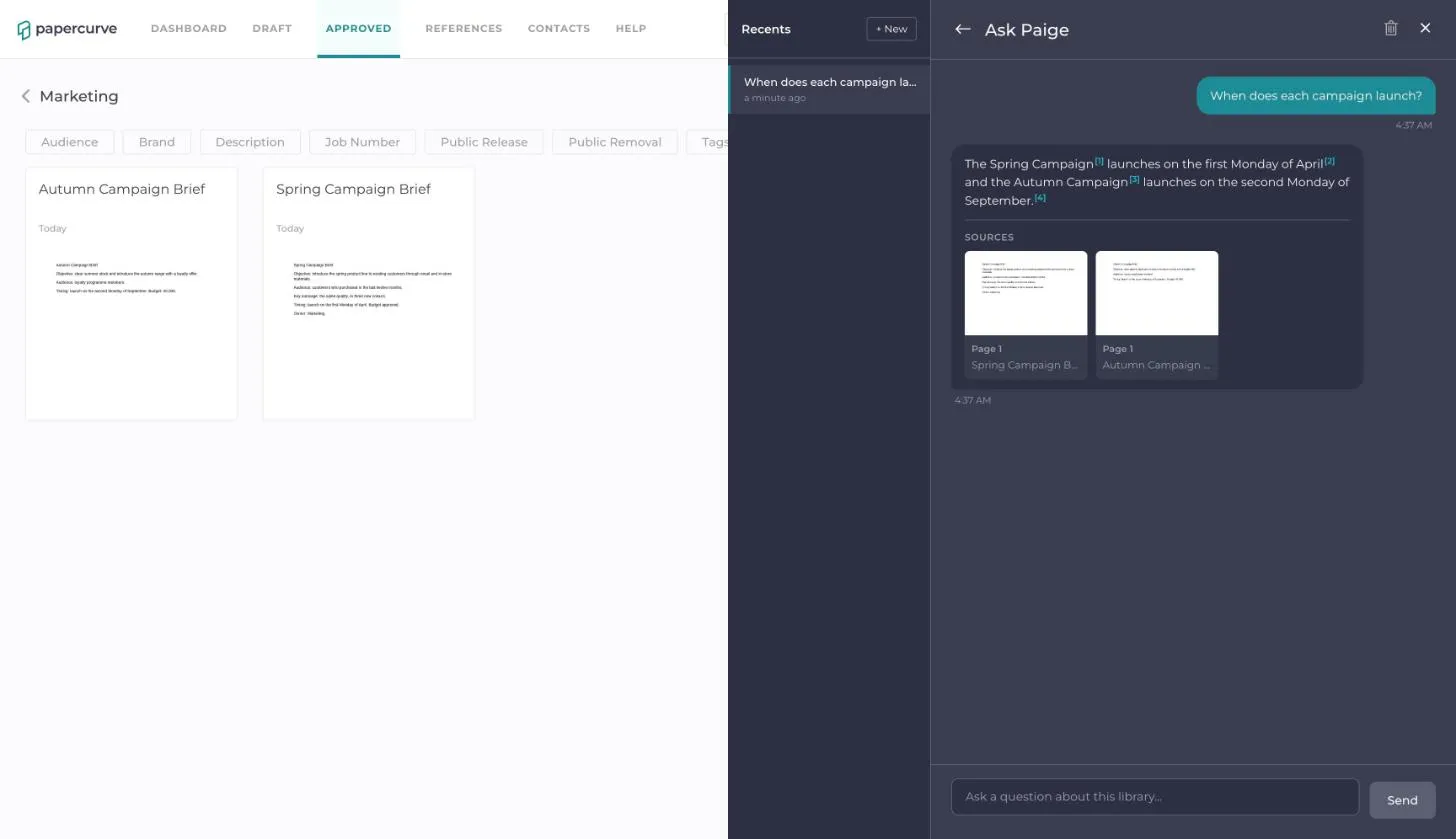
4. Click a citation or a source to open that document at the cited page in a new tab.
5. Ask a follow-up in the same conversation and Paige takes your earlier questions into account.
What Paige searches
- Only released content in the library you have open. Drafts are never searched, so an answer always reflects what has been approved.
- Only the current version of each document. Older versions are never searched.
- Content becomes available to Paige shortly after it is released, once Paige has finished reading it.
- Videos are not searched.
If the library does not contain the answer, Paige tells you so rather than guessing.
Your conversations
- Conversations are saved and listed under Recents, named after your first question. Each library has its own list.
- Click + New to start a fresh conversation.
- To delete the conversation you have open, click the trash icon at the top of the panel.
- Your conversations are private. Other people using the same library do not see them.
To ask about a single document, including a draft, see Ask Paige About a Document.
Still have questions?
Chat
9am – 5pm Eastern Time, by clicking the icon in the bottom right corner of the screen.