


Getting Help in Papercurve
You don’t have to leave Papercurve to find out how something works. The Help menu opens a chat with Paige, who answers questions about using Papercurve from the articles in this help centre. If Paige can’t help, it offers to pass your conversation to our customer success team.
Asking Paige for help
1. Click Help in the menu at the top of any page, then choose Help Chat.

2. The Help panel opens. Type your question in the box at the bottom and click Send, or click one of the example questions to try it out.
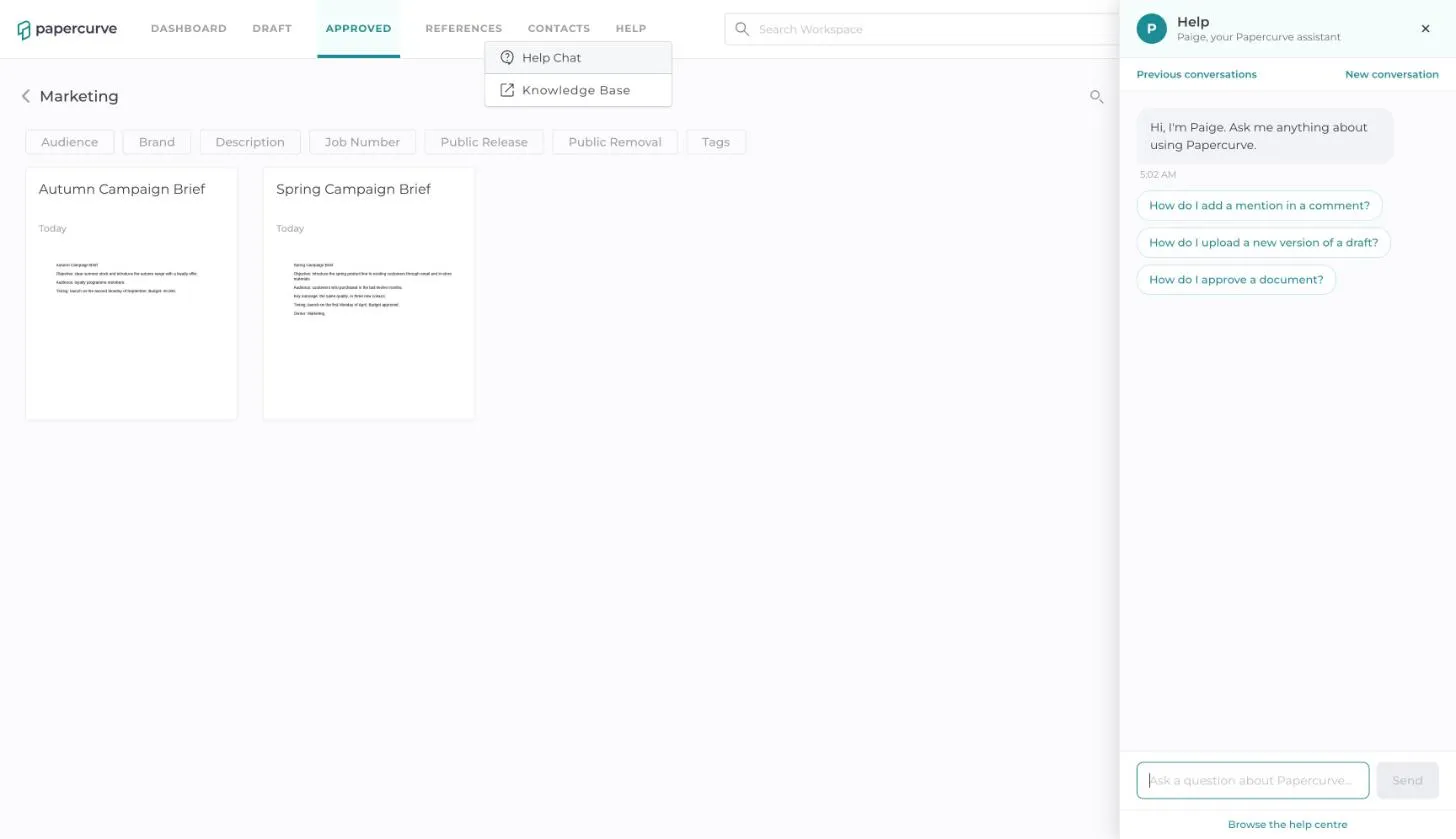
3. Paige replies with the steps to follow. Under the answer you can see which help article, and which page of it, the answer came from.
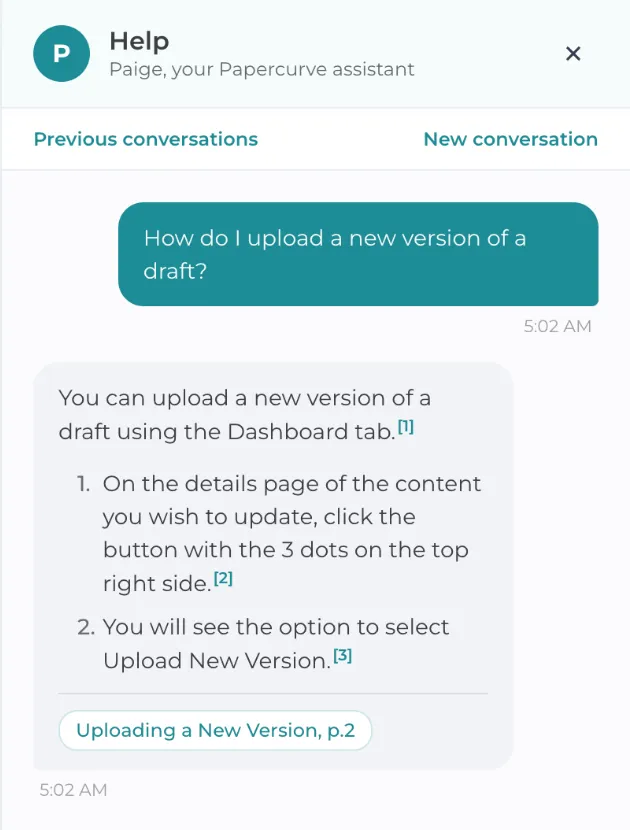
4. Ask a follow-up if you need more detail. Paige keeps track of what you have already asked.
When Paige can’t answer
Paige only answers from the help articles. When the articles don’t cover your question, Paige says so and asks whether you would like the conversation sent to our customer success team.
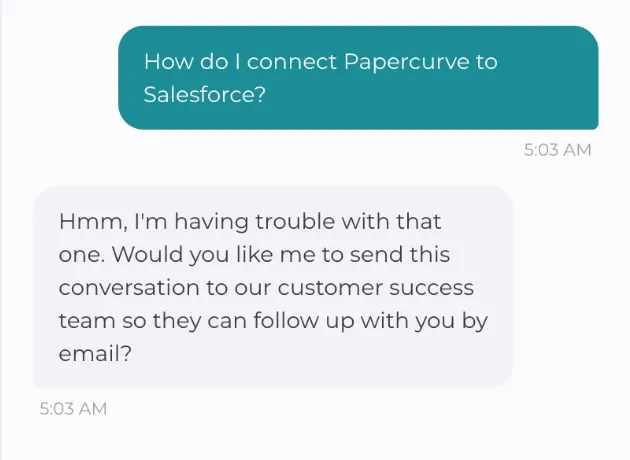
- Reply yes and Paige emails the whole conversation to customer success. They reply to you by email, and they can see what you asked and what Paige answered, so you don’t have to explain it again.
- Reply no and nothing is sent. Carry on with another question whenever you like.
Your help conversations
- Click Previous conversations to see your earlier help chats and open one again.
- Click New conversation to start over on a different topic.
- Click Browse the help centre to open this site and look through the articles yourself.
- Your help conversations are private to you.
Good to know
- Help Chat answers questions about how to use Papercurve. It does not look at your content. To ask about a document or a library, use Ask Paige About a Document or Ask Paige About a Library.
- You can still reach us directly at support@papercurve.com.
Still have questions?
Chat
9am – 5pm Eastern Time, by clicking the icon in the bottom right corner of the screen.