


Paige Review for PAAB: Downloading the Report
The Paige Review report puts a review on paper. It lists every finding with what your team decided, what Paige checked, and what a person still has to confirm. Use it to brief your reviewers, attach it to your internal approval, or work through the checklist before you submit to PAAB.
This is part of Paige Review for PAAB: The Complete Guide.
Downloading
1. Open the piece and click Paige Review in the side panel.
2. Choose the review in the Review list. The latest is shown first.
3. Click Download and choose PDF report or CSV.
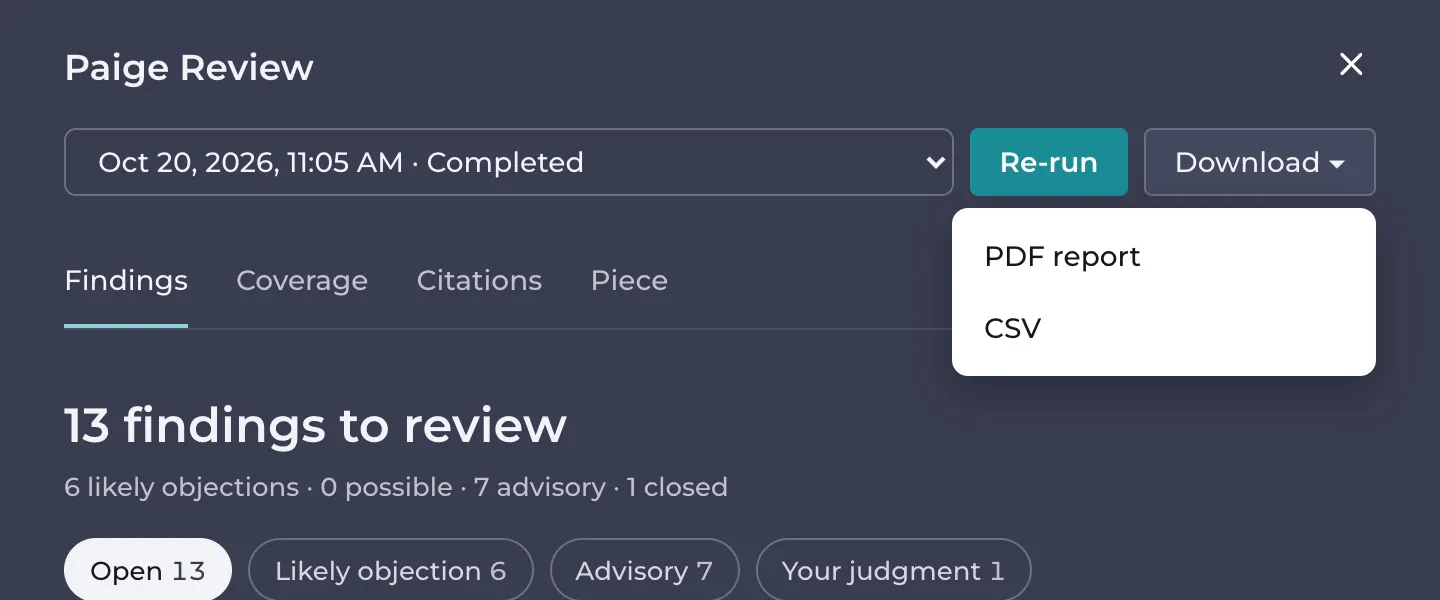
Anyone who can open the piece can download. Download isn’t available while a review is running, for a failed review, or for reviews made before the current Paige Review.
The PDF report
The report is titled Paige Review report and has these parts.
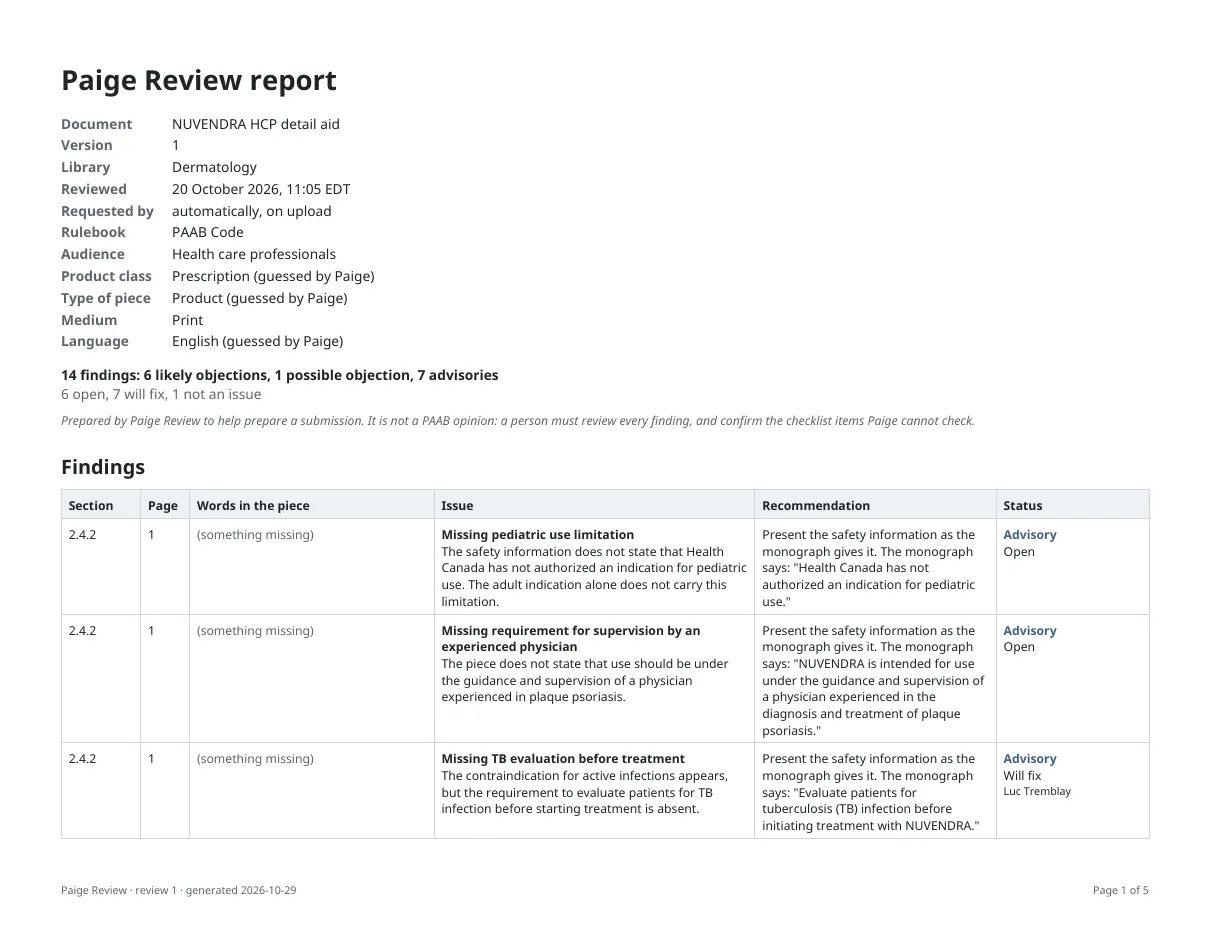
Details of the review: the document, version and library, when it was reviewed, who requested it (or automatically, on upload), the rulebook, and what Paige reviewed the piece as. Settings Paige guessed are marked (guessed by Paige).
Totals: the number of findings by severity and by status.
A note on what the report is: it was prepared by Paige Review to help prepare a submission. It is not a PAAB opinion. A person must review every finding and confirm the checklist items Paige cannot check.
Findings: one row per finding, with:
- the Code section, and the other sections it was also raised under
- the page
- the words in the piece
- the issue
- the recommendation
- its severity and status (Open, Will fix, Fixed in version N, or Not an issue with its reason), who set it and the note
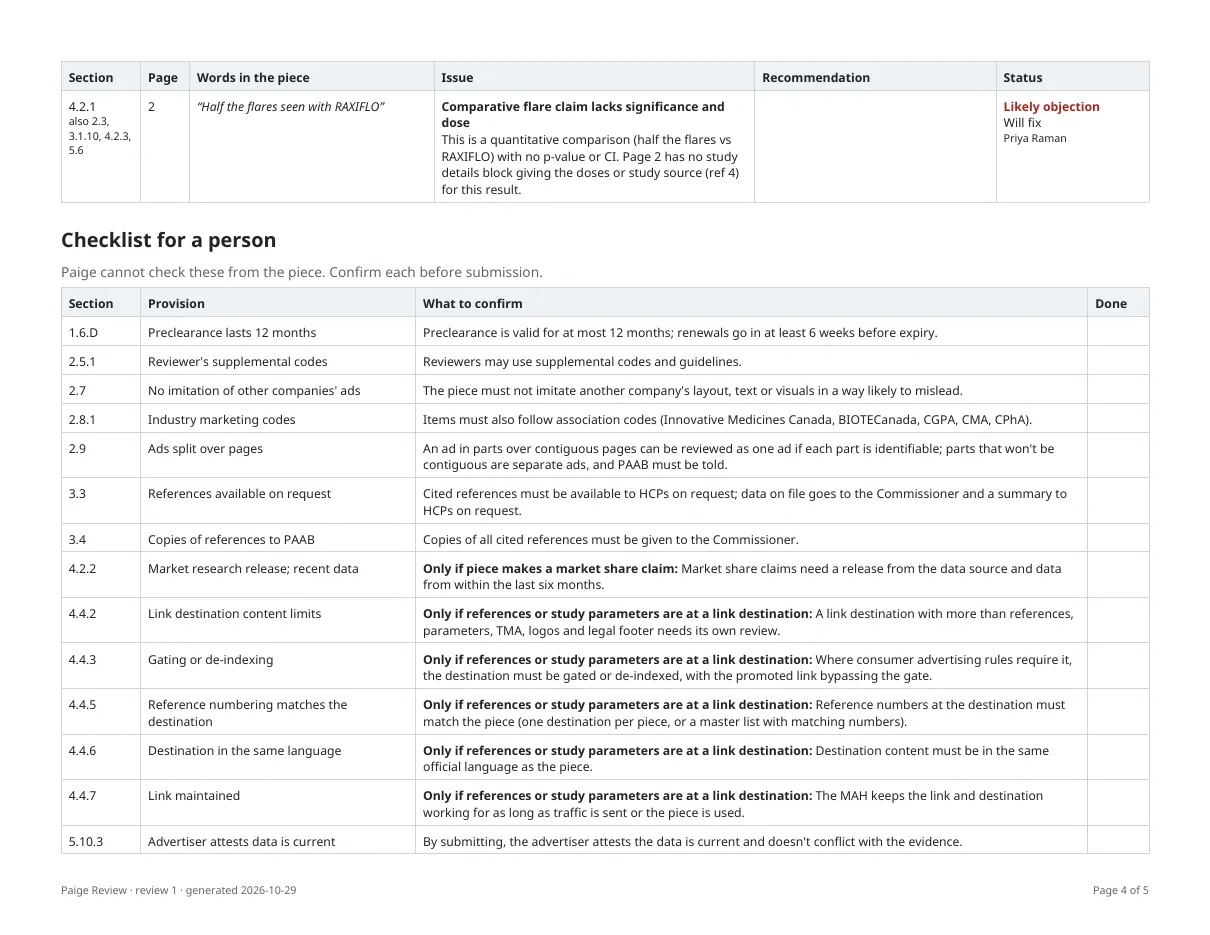
Checklist for a person: each provision Paige couldn’t check, with what to confirm and an empty Done column to tick.
What Paige checked: the coverage of each section of the Code: how many provisions were checked, not applicable, needed a person or aren’t supported yet.
The CSV
The CSV has one row per finding, for a spreadsheet or your own tracker. Its columns are: Code section, Title, Page, Severity, Confidence, Quote, Issue, Recommendation, Also raised under, Status, Reason, Note, Status by and Status at.
Good to know
- The report is always in English, whatever the language of the piece. Words quoted from the piece are in its own language.
- The report is of the review you choose. To report on the current version, choose its latest review.
Still have questions?
Chat
9am – 5pm Eastern Time, by clicking the icon in the bottom right corner of the screen.