


Paige Review for PAAB: Discussing a Finding
Some findings need a conversation. The medical reviewer reads the study differently, or regulatory wants the claim reworded before it’s marked fixed. Every finding has a thread for this. It holds the comments, every status change and what happened to the finding on later versions, all in one place.
This is part of Paige Review for PAAB: The Complete Guide.
Opening a finding’s thread
Click Comment on the finding, in the Findings tab or on a claim in the Citations tab. A finding with comments shows Comments · 3 instead.
You can also open threads from the Comments panel. See below.
What’s in a thread
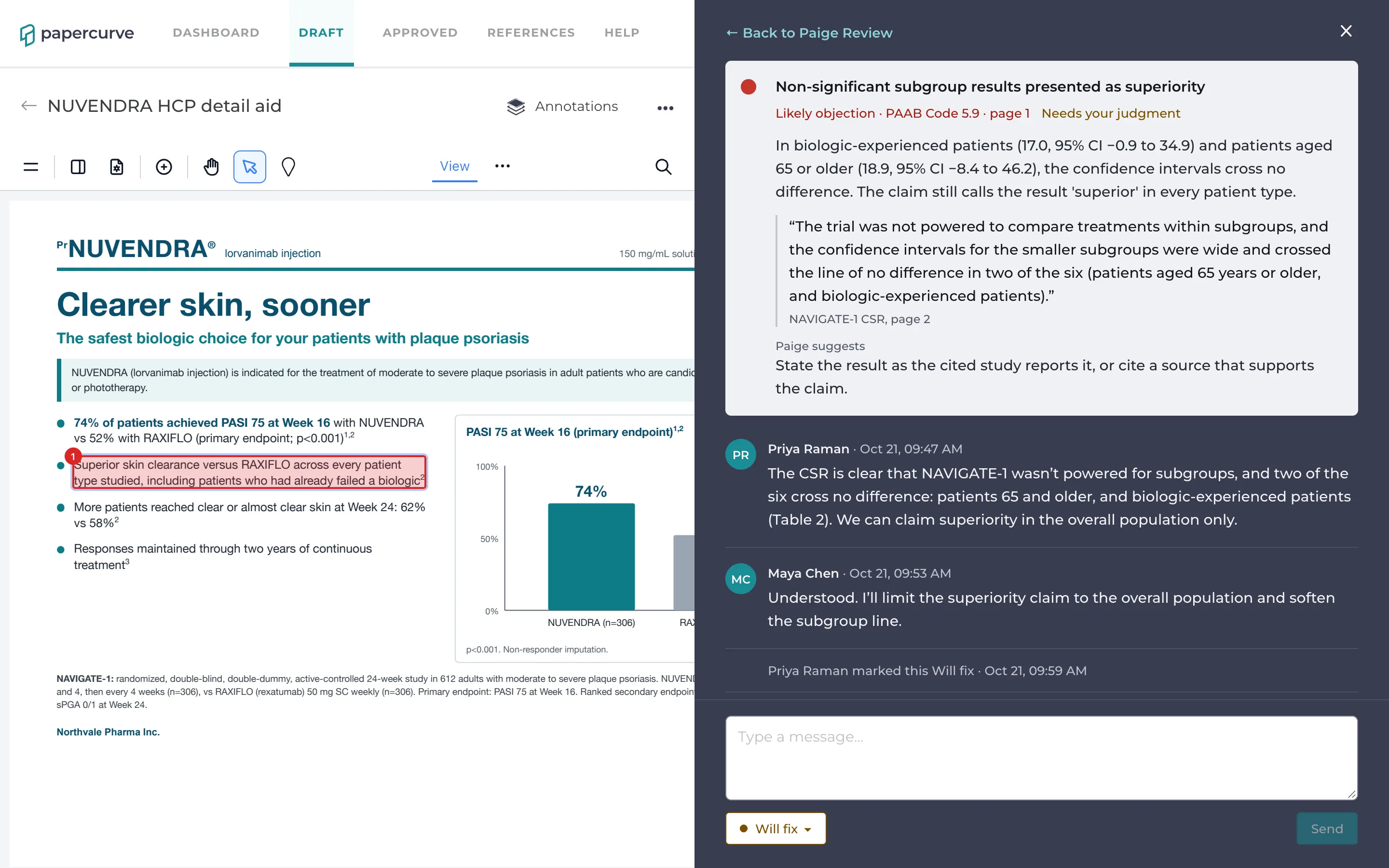
At the top is Paige’s finding, and the finding is outlined on the page. Below it, in order:
- Comments, with the name and time of each.
- Status changes, for example Priya Raman marked this Will fix, or Luc Tremblay marked this Not an issue: accepted by PAAB.
- What happened on later versions: Found again in version 2, Still found in version 2, so it’s open again, Resolved before, but found again in version 3, or Paige found this fixed in version 3.
The thread follows the finding from version to version, so the whole history of a problem stays together.
Adding a comment
Type in Type a message… and click Send. Anyone who can open the piece can comment.
To record a decision with your reasons, type the reason first, then change the status below the message box. Your message is saved as the note on that status, so it appears on the finding and on the report. See Deciding on Findings.
Paige Review in the Comments panel
The Comments panel shows Paige Review threads next to your team’s comments. At the top of the panel, choose:
- Comments: your team’s comments only. This is the default.
- Paige Review: the findings someone has discussed or decided.
- Both: comments and findings together, in page order.
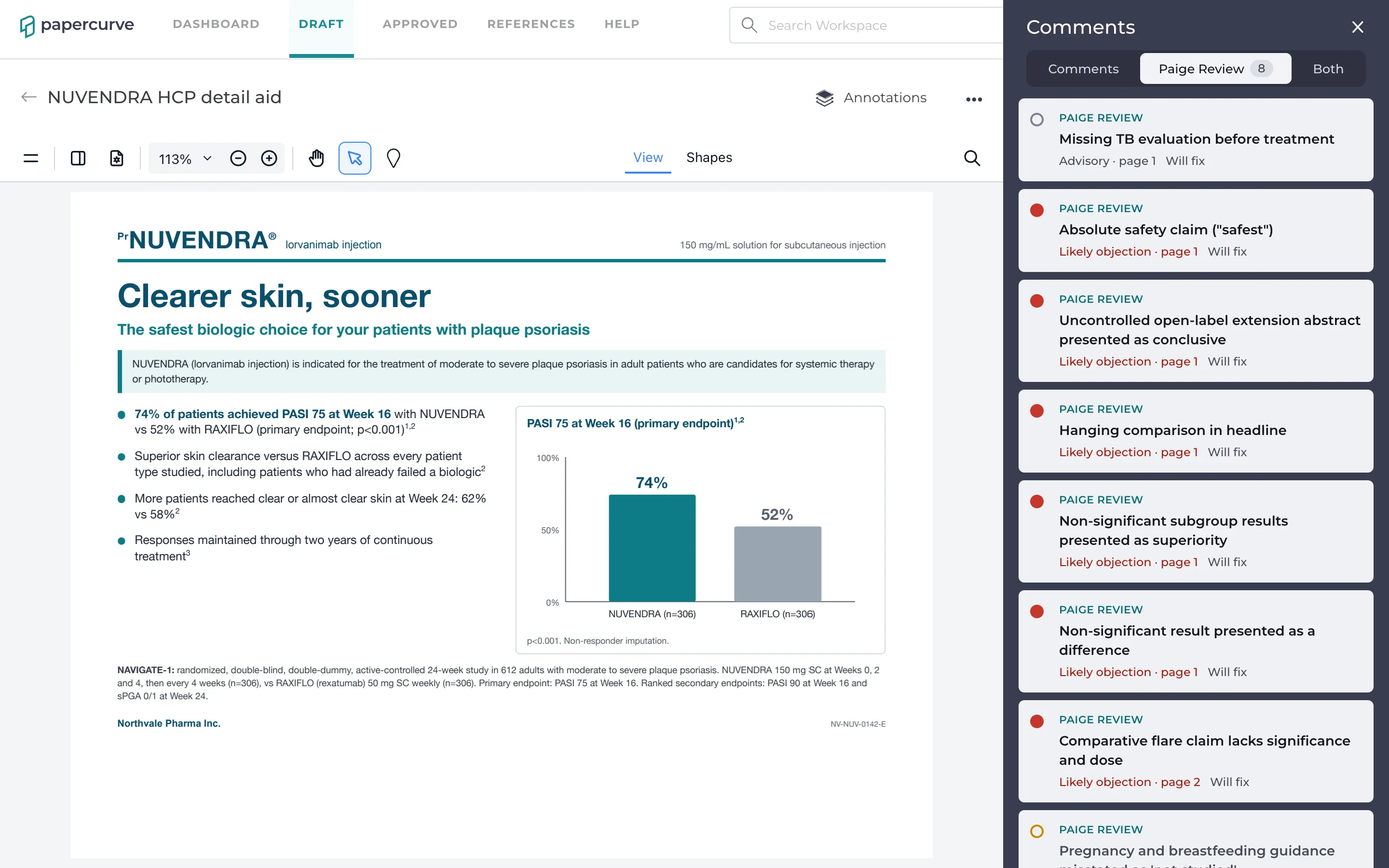
Each finding shows a PAIGE REVIEW badge, its title, severity and page, and its status or number of comments. Click it to open its thread.
Only findings someone has commented on or decided are listed, so a long review doesn’t flood the panel. The rest are behind findings without comments · Open Paige Review, which opens the Paige Review panel.
Getting back
At the top of a thread, ← Back to Paige Review or ← All comments takes you back to where you opened it from. Close closes the thread.
Good to know
- Paige Review threads don’t send emails or notifications, and you can’t mention people in them yet. To bring someone in, mention them in a comment on the piece, or send them the link.
- Threads are on the latest review. Earlier reviews and reviews made before the current Paige Review don’t have them.
- Guests viewing a piece through a share link don’t see Paige Review threads.
Next: The Coverage Tab
Still have questions?
Chat
9am – 5pm Eastern Time, by clicking the icon in the bottom right corner of the screen.