


Paige Review for PAAB: The Piece Tab
Which provisions of the PAAB Code apply depends on the piece. A piece for patients is held to different rules from one for health care professionals. A corporate piece doesn’t need the same product information as a product piece. The Piece tab shows what Paige reviewed the piece as, and lets you correct it.
Check this tab on the first review of every piece. A wrong audience or product means the wrong checks.
This is part of Paige Review for PAAB: The Complete Guide.
Opening the Piece tab
Open the piece, click Paige Review in the side panel, then click the Piece tab. It’s headed What Paige reviews it as.
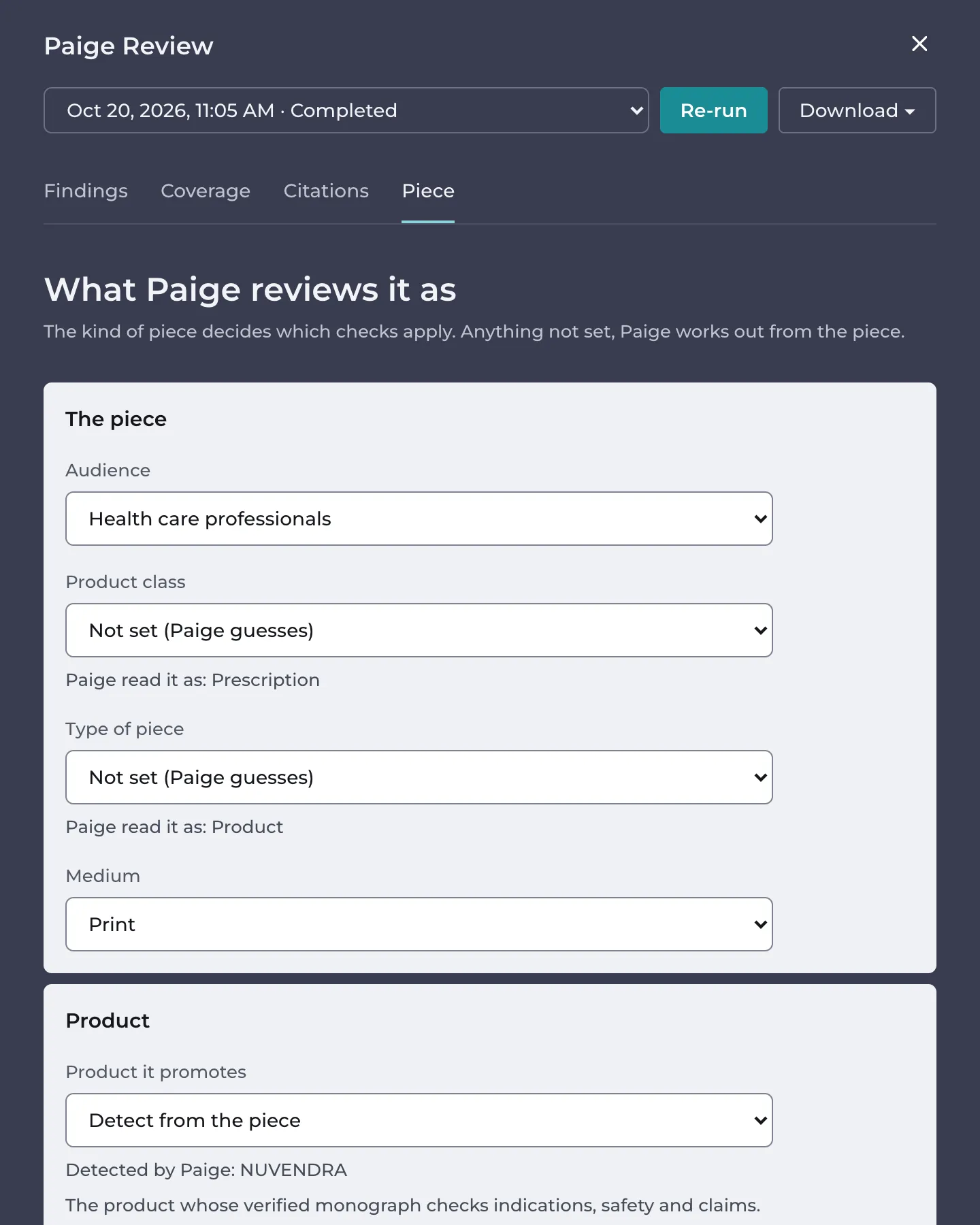
The piece
| Setting | Choices |
|---|---|
| Audience | Health care professionals, Patients, Consumers |
| Product class | Prescription, Non-prescription, Natural health product |
| Type of piece | Product, Corporate, Editorial, Patient information |
| Medium | Print, Electronic |
A setting you leave empty shows what Paige uses instead:
- (library default): your library has a default for it.
- Not set (Paige guesses): Paige works it out from the piece, and shows Paige read it as: with what it decided.
Paige guesses the product class, the type of piece and the medium. It never guesses the audience. With no audience set, Paige applies every check for every audience, so a piece for health care professionals can get findings that only apply to patient pieces. Set the audience on every piece unless your library has a default.
The same goes for any setting Paige couldn’t work out: a setting that isn’t known never rules a check out.
The product
Product it promotes is the product whose verified Product Monograph the piece is checked against.
- Detect from the piece: Paige picks the product whose name appears most often in the piece. The tab shows Detected by Paige: with the product it found.
- A product from the list: Paige uses that one. Choose it when Paige detected the wrong product, or none.
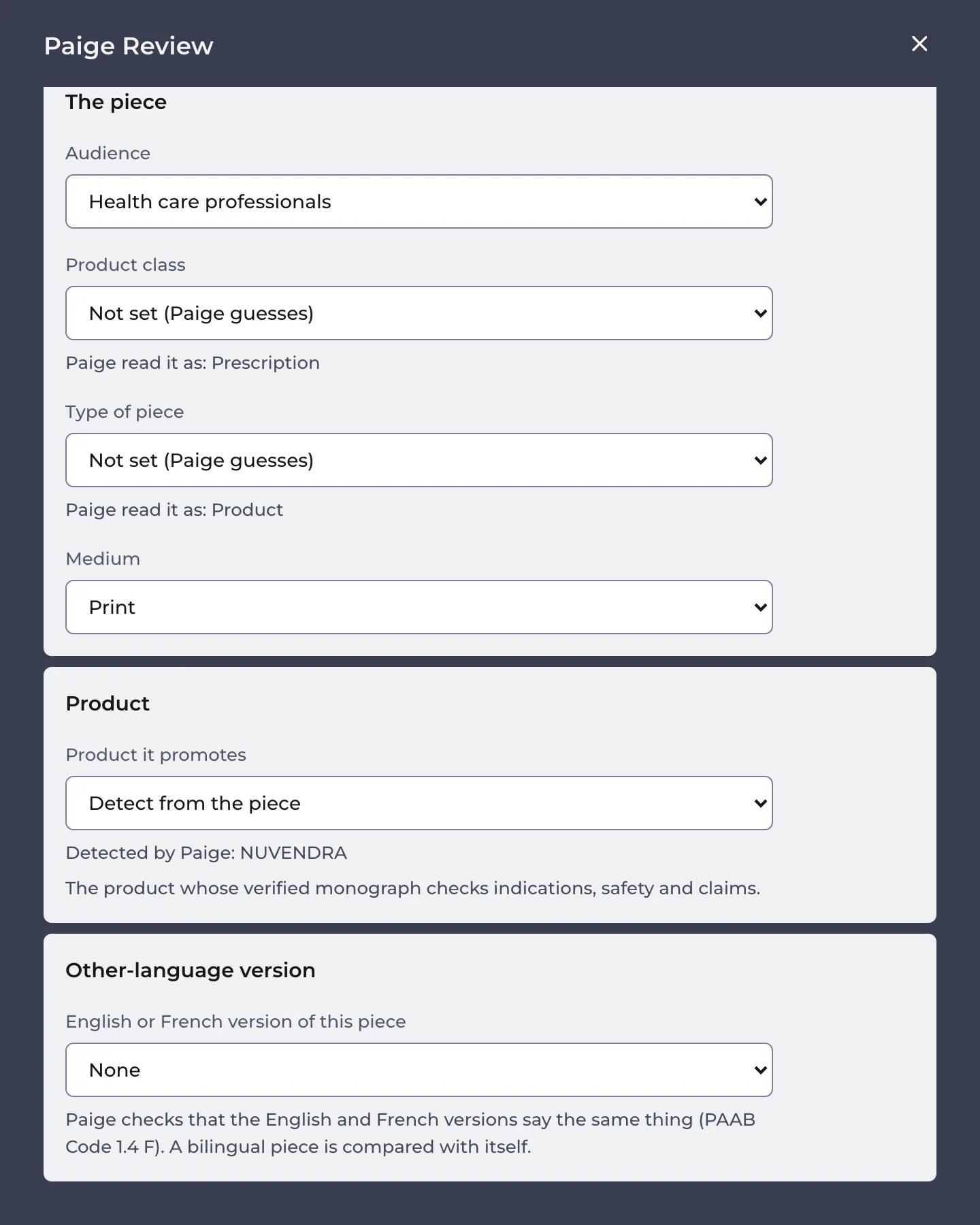
The list shows the products linked to the piece’s library. If your product isn’t listed, an admin needs to add it or link it to the library. See Setting Up Products and Product Monographs.
The other-language version
PAAB requires the English and French versions of a piece to say the same thing (PAAB Code 1.4 F). Under English or French version of this piece, choose the piece in the library that is this piece’s other-language version, or None.
In the example, Maya links the French version, the Aide visuelle NUVENDRA, to the English detail aid.
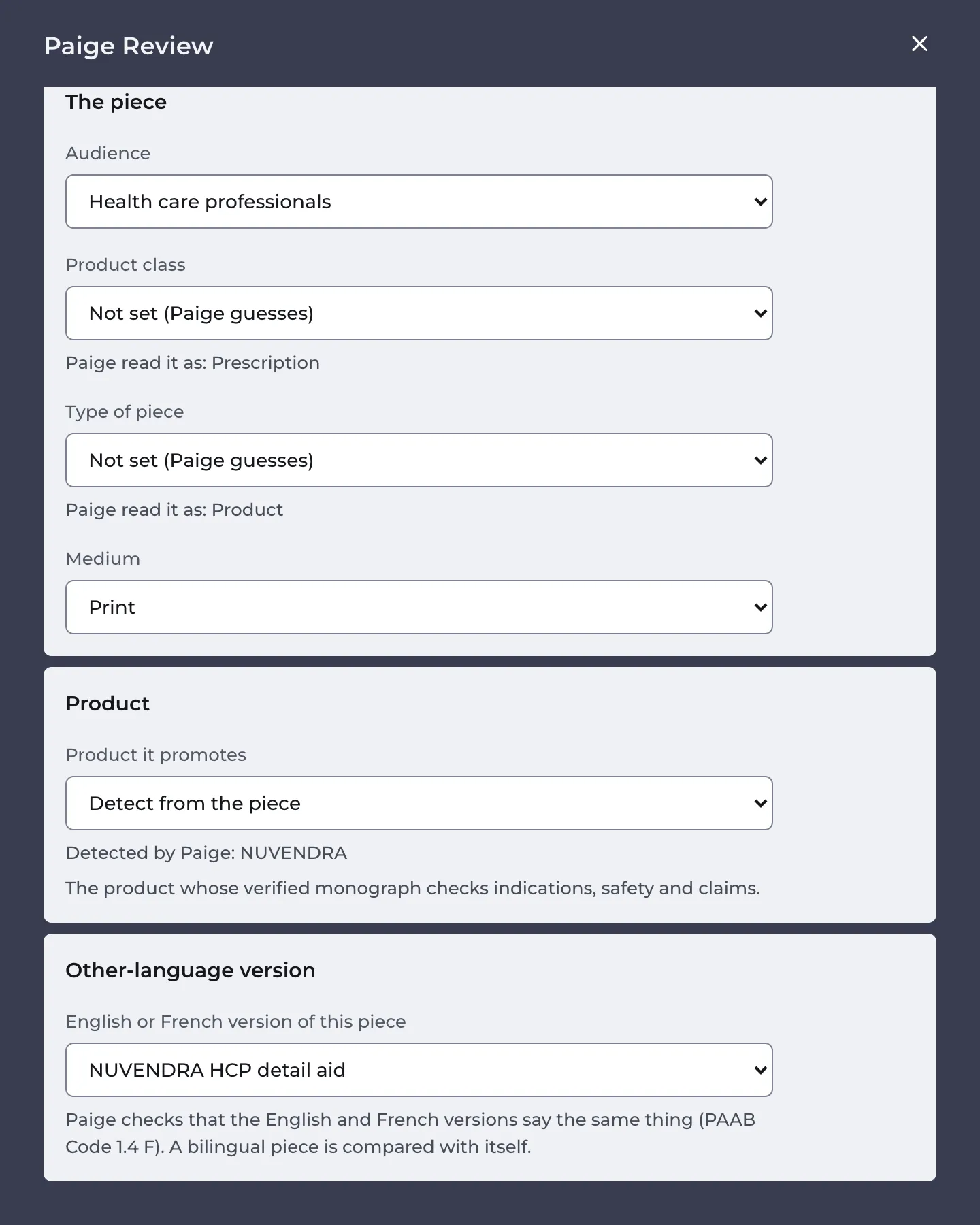
- Paige compares the two on every review, using the latest version of the other piece.
- A translation made with Paige Translate is linked by itself.
- A bilingual piece, with English and French in the same file, is compared with itself. You don’t need to link anything.
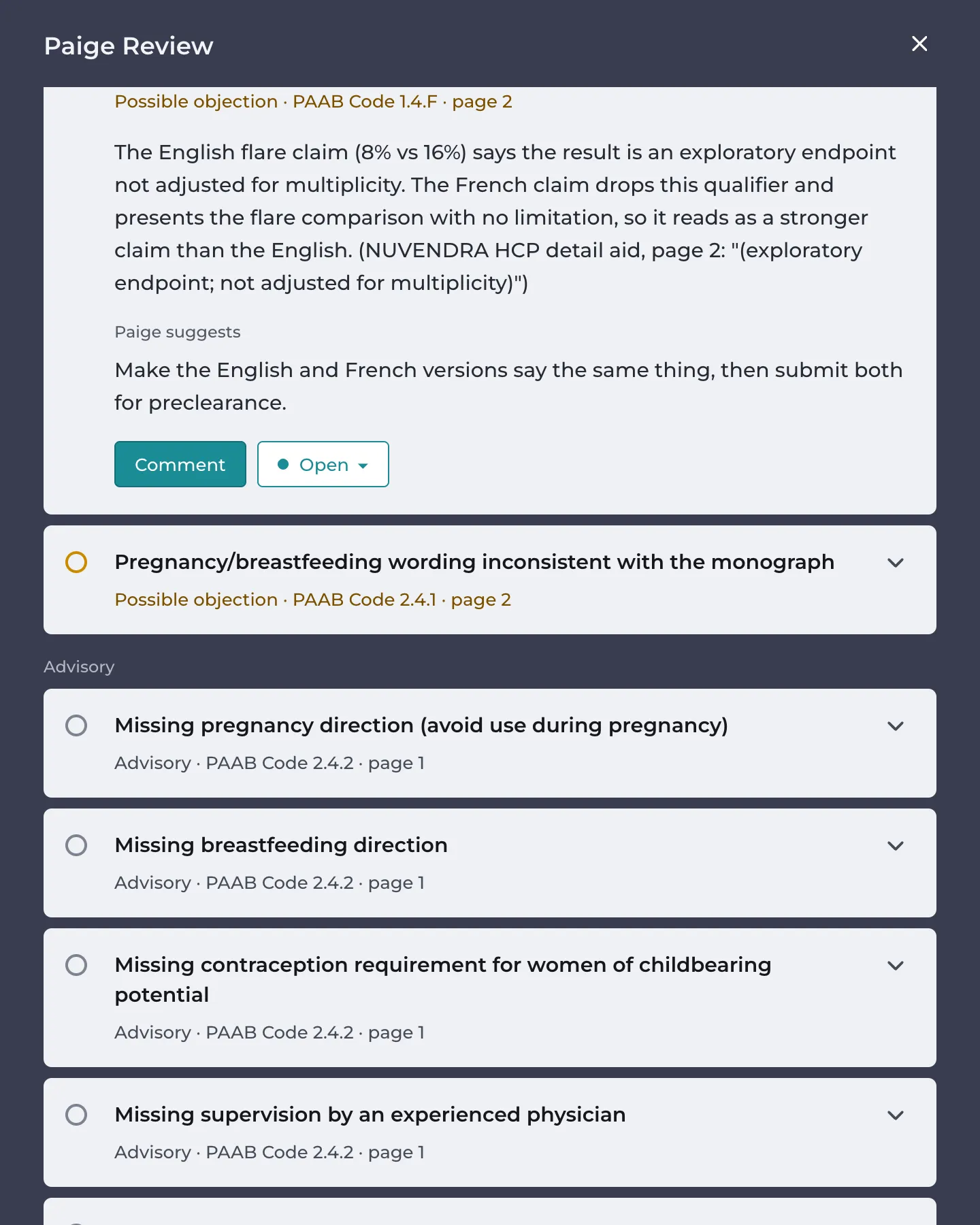
A difference shows as a finding under PAAB Code 1.4 F. In the example, the French version drops the English version’s exploratory endpoint qualifier from the flare claim:
Saving a change
Your change is saved as soon as you make it, and the tab says Saved. Re-run to check the piece with it. It doesn’t change the review you’re looking at. Click Re-run at the top of the panel to review the piece again with it.
The settings belong to the piece, not to one version, so new versions keep them.
Admins, the piece’s owner and the person who uploaded the version can change these settings. Everyone else sees them read-only.
Good to know
- Library defaults are set by Papercurve support. Ask for one if every piece in a library has the same audience or medium.
- On the PDF report, settings Paige guessed are marked (guessed by Paige), so your reviewers can see what was set by a person.
Next: Reading Findings
Still have questions?
Chat
9am – 5pm Eastern Time, by clicking the icon in the bottom right corner of the screen.