


Paige Review for PAAB: New Versions and Fixed Findings
Fixing a piece usually takes a few rounds. Each time you upload a new version, Paige reviews it and compares it with the last one. It tells you what you fixed, what’s still there and what’s new, without anyone having to go through every finding again.
This is part of Paige Review for PAAB: The Complete Guide.
Fixing the piece
1. Work through the findings and mark the ones you’ll change Will fix. See Deciding on Findings.
2. Make the changes. Edit the file in Papercurve Office, or make them in your own tools.
3. Upload the new version. See Uploading a New Version.
Paige reviews the new version once Papercurve has processed it. You don’t need to start anything.
What Paige does on the new version
Paige matches each problem on the new version with the same problem on the last one, by its Code provision and the words it’s about, wherever they now are on the page.
| On the last version | On the new version | What you see |
|---|---|---|
| Open or Will fix, and the problem is gone | Paige marks it fixed | Fixed in version N, on the last version’s finding |
| Will fix, and the problem is still there | Open again | Will fix on the last version, still found in this one |
| Not an issue | Stays Not an issue, with its reason and note | The decision, and who made it |
| Fixed, and the problem is back | Open again | Resolved before, found again |
| Open, and the problem is still there | Open | Carried over from an earlier review |
| Not there | A new finding | Nothing extra |
Paige only marks a problem fixed when the check that raised it ran again on the new version and didn’t raise it. A check that failed or needed a person on the new version leaves the problem as it was.
Seeing what was fixed
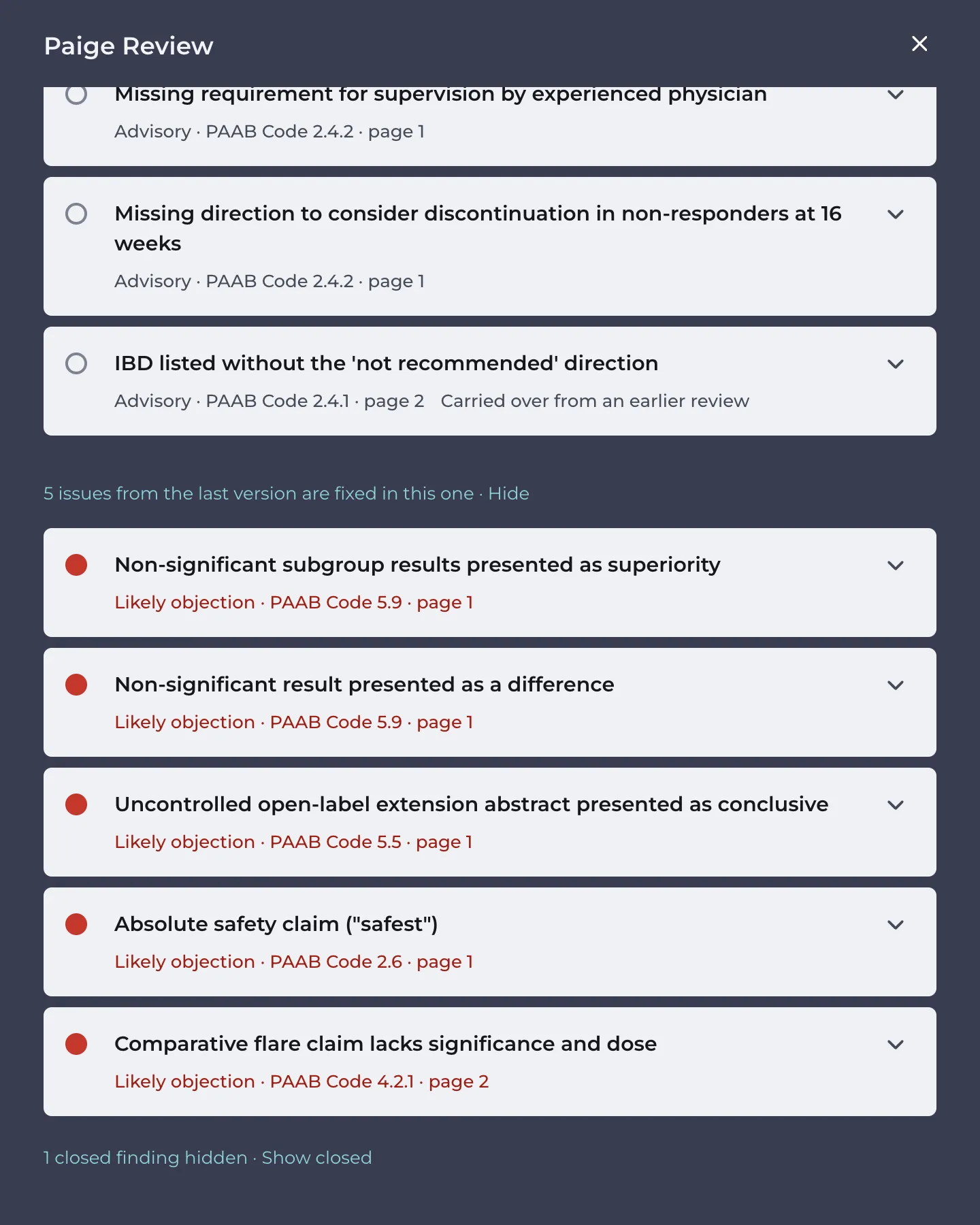
Below the new version’s findings, 5 issues from the last version are fixed in this one · Show lists the problems Paige marked fixed. Click Show to see them. They’re read-only, and you can still open their threads. Hide puts them away.
In the example, version 2 of the detail aid drops “the safest biologic choice”, the week-24 result, the two-year claim and the subgroup superiority claim, and restates the flare claim. Paige marks those five issues fixed.
When an issue is still there
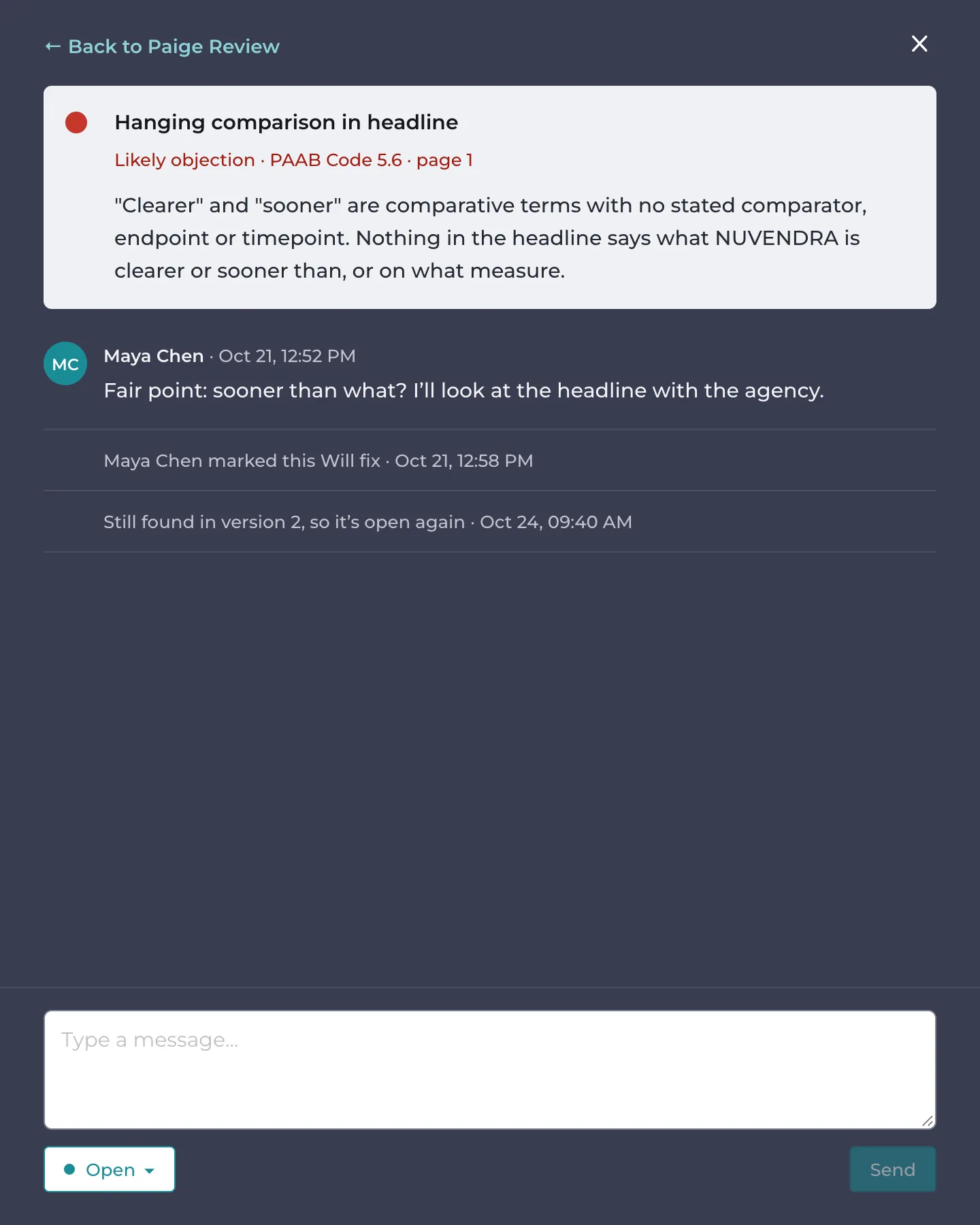
Maya marked the headline “Clearer skin, sooner” Will fix on version 1 (sooner than what?), but kept it in version 2. Paige raises it again and opens it, with Will fix on the last version, still found in this one.
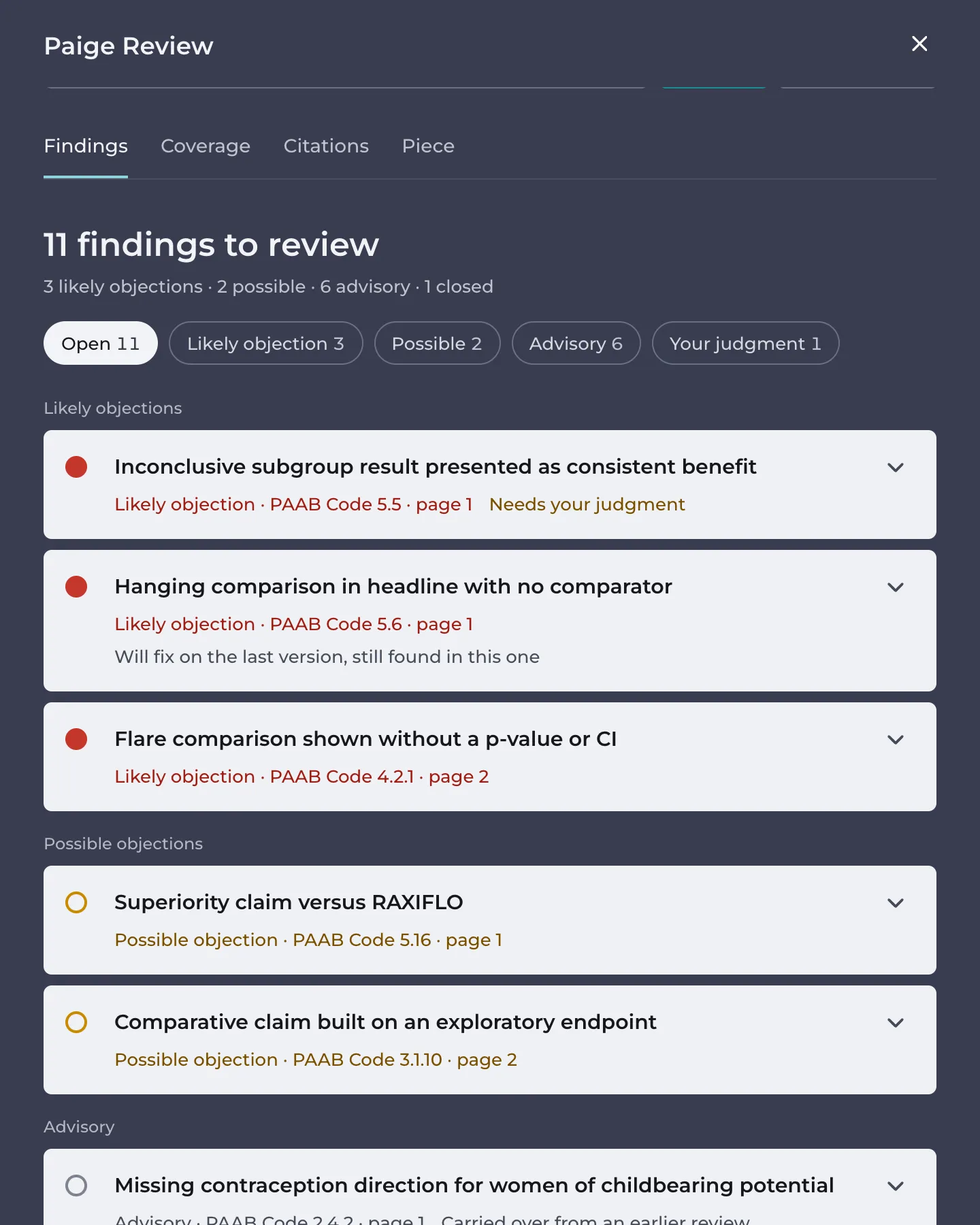
Paige also judges the new wording on its own. Version 2 replaced the subgroup superiority claim with “Results were consistent across patient subgroups”, and Paige raises that as a new finding: the subgroups still can’t support it.
Threads across versions
A finding’s thread carries on from version to version. It shows Found again in version 3, Still found in version 3, so it’s open again or Paige found this fixed in version 3 where each happened. See Discussing a Finding.
Good to know
- Re-running the same version isn’t a new version. It carries over Will fix as well as Not an issue.
- If you reword a passage, Paige may see the problem in the new words as a new finding rather than the old one. A Not an issue decision on the old words won’t apply to it.
- The piece’s settings on the Piece tab, the product it promotes and any reference documents you chose for its citations carry over to new versions.
- Paige Review shows on the current version. The fixed problems of the last version are listed on the new one, under issues from the last version are fixed in this one.
Next: Downloading the Report
Still have questions?
Chat
9am – 5pm Eastern Time, by clicking the icon in the bottom right corner of the screen.